8. Issues and Limitations
8.1. Why darks are used
A Flamingos 2 dark looks like this.
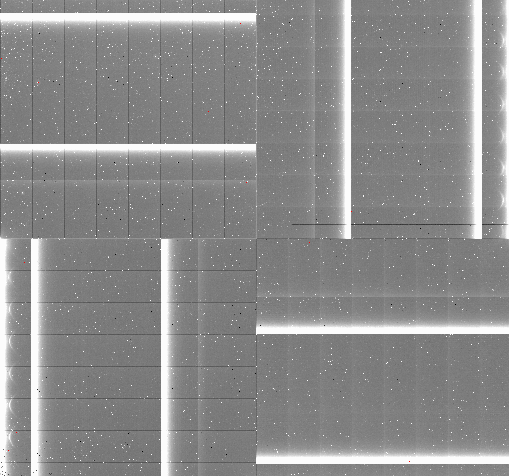
Not only is the pattern very strong, it is also not stable. Using a separate dark subtraction step helps attenuate the pattern a bit. Also, for the flats, lamp-off flats are not observed and the dark pattern has to be removed with same-exposure-time darks to produce a master flat. Also, if that pattern is not remove in the lamp arcs, they can interfere with the arc line detection.
8.2. Reflections in flats
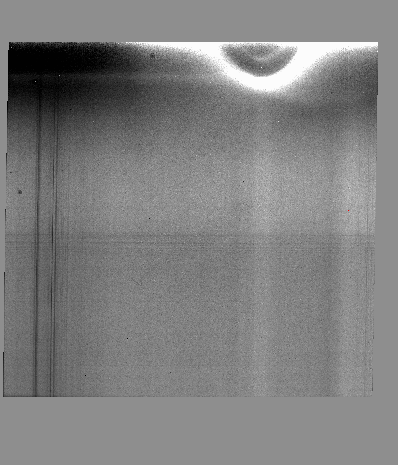
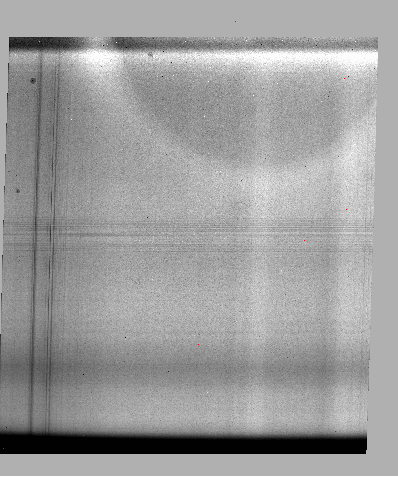
In JH and HK longslit observations, the observations suffer from what looks like internal reflections. The top (blue part) of the array is affected and lead to difficulties with the sensitivity function calculation in that part of the spectrum.
For references, here is what the JH and HK longslit master flat fields look like.
8.3. Asymmetric lines
The optics in Flamingos 2 lead to line profiles that are asymmetric, get worse with distance from the center. Here is an illustration.
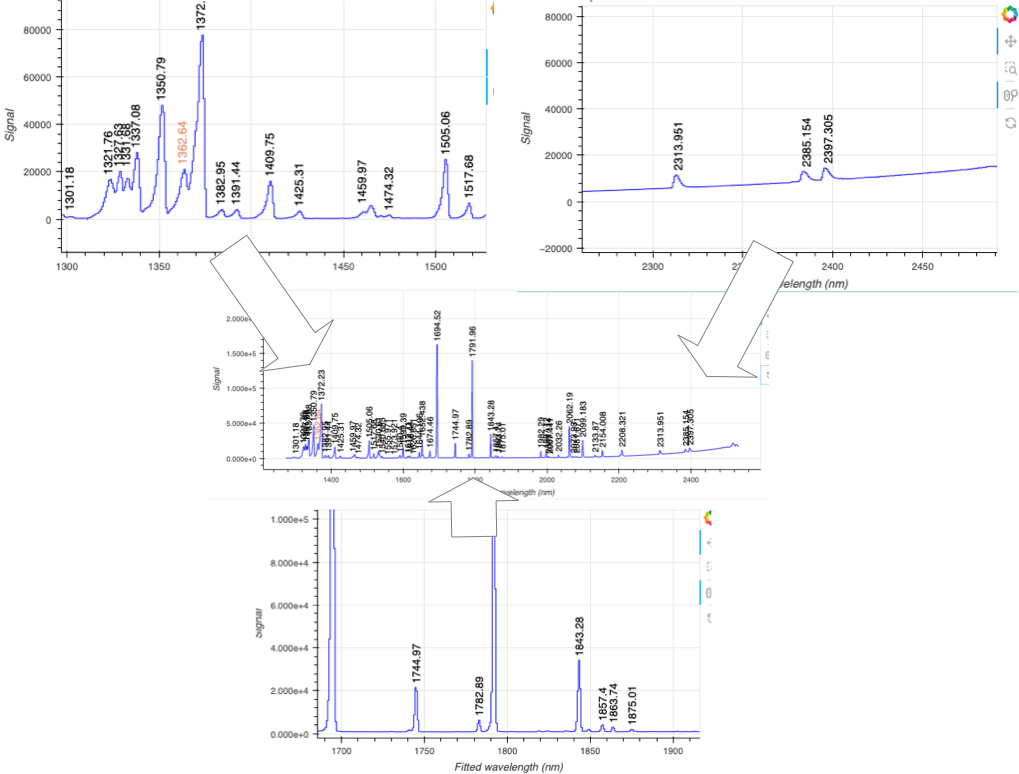
The DRAGONS wavelength solution and telluric modeling algorithms do their best to compensate, but it is not perfect. The line spread function used in the telluric modeling accounts for this asymmetry.
8.4. Recognizing and fixing bad WCS
The WCS in Flamingos 2 data is commonly not quite right. There is a step
in the prepare primitive that tries to identify issues and raise an
error. Unfortunately, for Flamingos 2, the discrepancies are not
always detected by the current algorithm.
There are ways for the user to detect the problem however.
One is is by inspecting the spatial profile with the findApertures
interactive tool. There are indications in the logs before that step, but the
visual cue is often easier to spot.
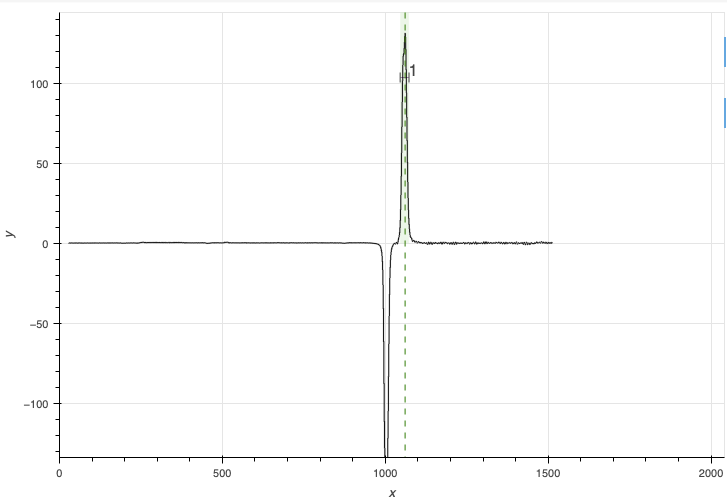
When the WCS of the raw data are wrong in an on-target ABBA, to the point that
it recognize a target-offset_to_sky pattern during sky subtraction rather than
a ABBA dither patter, the profile in findApertures can
look like this, one positive, one negative:
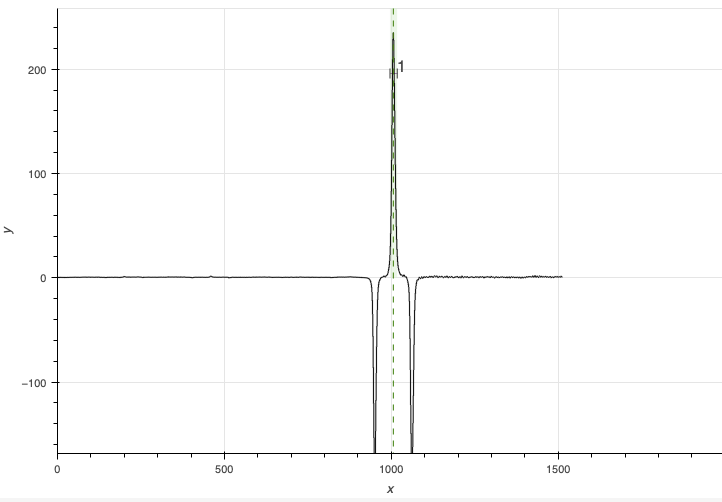
When the WCS is correct or has been fixed, the standard AB dither pattern should lead to a negative-positive-negative profile, like this:
Another way to notice the WCS problem is to look at the logs for separateSky.
In a standard ABBA sequence, all the datasets should be recognized as target,
and all of them should also be recognized as sky: B is sky for A and A is sky
for B. If you notice that the list gets separated into only target and only
sky, when it is an on-target ABBA dither pattern, then the WCS in the raw
data are wrong. Here is an example of wrongly identified ABBA:
PRIMITIVE: separateSky
----------------------
Identified 3 group(s) of exposures
Classifying groups based on target proximity and observation efficiency
Science frames:
  S20190702S0100_wavelengthZeroPointAdjusted.fits
  S20190702S0101_wavelengthZeroPointAdjusted.fits
Sky frames:
  S20190702S0099_wavelengthZeroPointAdjusted.fits
  S20190702S0102_wavelengthZeroPointAdjusted.fits
.
One other tell-tale of a bad WCS in the raw data is in the logs of
adjustWCSToReference. The offsets it finds must match the dither pattern.
All the A position should be offset by a value close to zero, and all the B
offsets should be similar and match the offset that was applied at the
telescope. If you see a message about the cross-correlation failing, that is
almost certainly an issue with the WCS. Eg.:
PRIMITIVE: adjustWCSToReference
-------------------------------
Reference image: S20220617S0044_distortionCorrected.fits
WARNING - No cross-correlation peak found for S20220617S0045_distortionCorrected.fits:1 within tolerance
S20220617S0045_distortionCorrected.fits: applying offset of -38.22 pixels
S20220617S0046_distortionCorrected.fits: applying offset of -55.82 pixels
S20220617S0047_distortionCorrected.fits: applying offset of -0.02 pixels
.
Therefore, when you run the telluric or the science reduction on new data, run
findApertures in interactive mode (-p findApertures:interactive=True or
-p interactive=True to turn everything interactive), and pay attention to
the logs. If you see the “bad WCS” signs, abort and re-run the reduction with
-p prepare:bad_wcs=new. For example:
reduce @sci.lis -p prepare:bad_wcs=new interactive=True
That should lead to the “good WCS” profile. If not, the problem is elsewhere.
Note
If you still see cross-correlation issues in adjustWCSToReference even with prepare:bad_wcs=new, try to add adjustWCSToReference:method:wcs, that will bypass the cross-correlation and use the offsets in the headers.
8.5. Double messaging issue
If you run Reduce without setting up a logger, you will notice that the
output messages appear twice. To prevent this behaviour set up a logger.
This will send one of the output stream to a file, keeping the other on the
screen. We recommend using the DRAGONS logger located in the
logutils module and its config() function:
1from gempy.utils import logutils
2logutils.config(file_name='gmosls_tutorial.log')